
Flip one switch
Remote access, on, in Settings. The machine dials out and enrolls itself. Nothing to forward, no dynamic DNS, no reverse proxy, no certificate to renew.
Open source · Runs on your machines · No API keys
Your agents stop working the second you walk away.
Threadknot fixes that. Claude Code, Codex and Kimi running across every machine you own, and every one of them on your phone. Approve an edit from the couch, redirect a run from the car, kill it from bed.
Two minutes. No account, no API key, no config file.
Threadknot is built with Threadknot. That clip is one of its own agents, working.
Ninety seconds, one tour
What it is, what it does with your machines, and how it ends up on your phone. Sound on.
Yes, a pirate. The product is called Threadknot and the logo is an anchor, so the tone picked itself.
The thing nobody says out loud
You start a run and then you are stuck babysitting a terminal. Step away and it hits an approval prompt and sits there, dead, until you come back. Want a second agent? Second terminal. A third? Now you are a window manager.
Without it
With it
Not a mockup
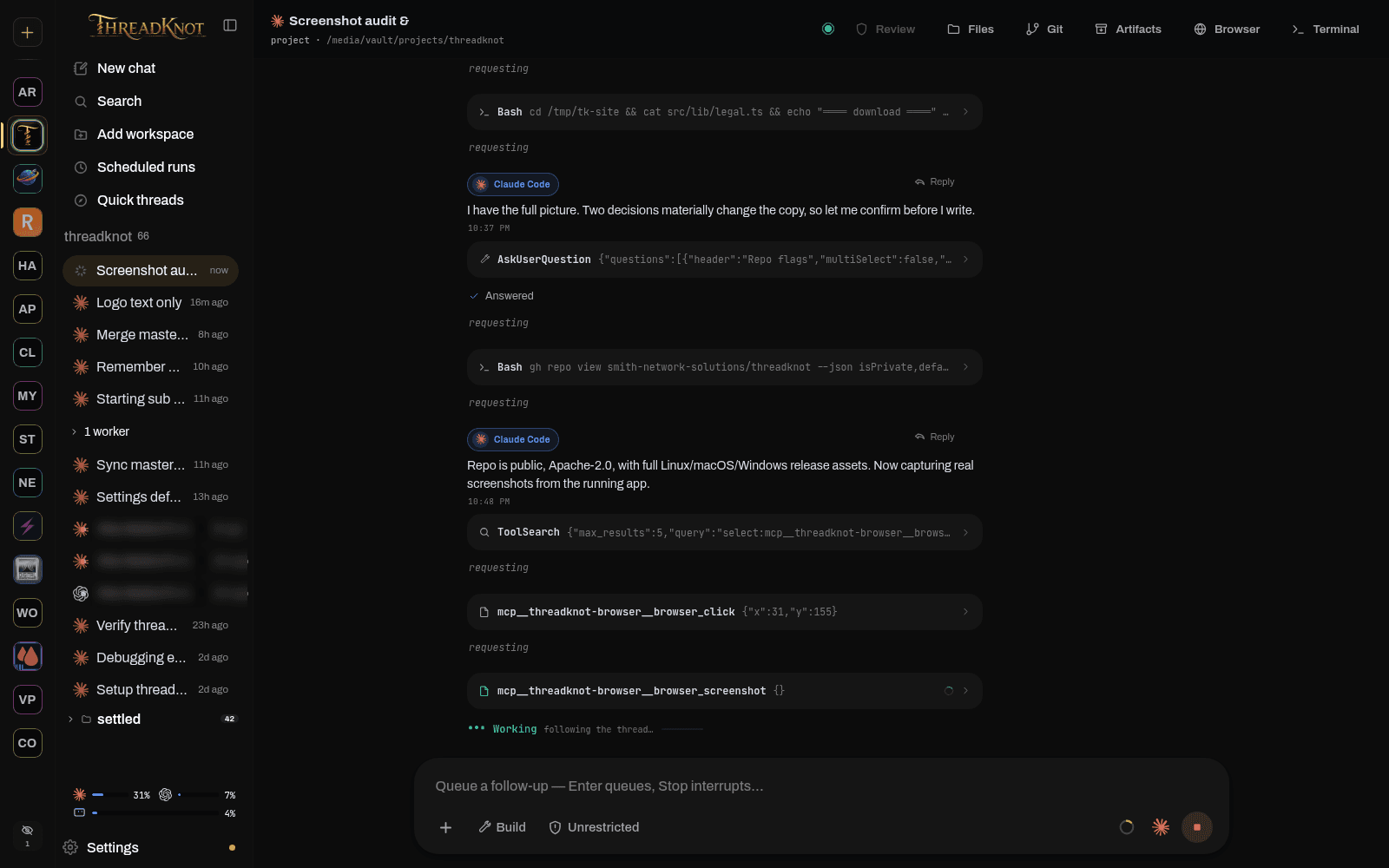
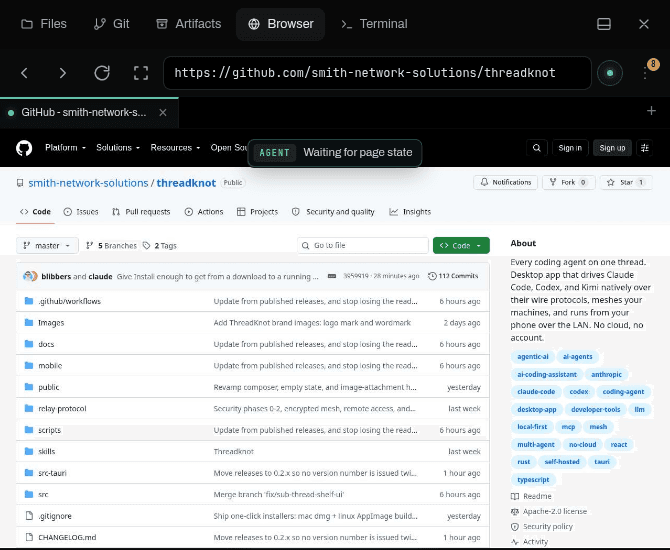
From download to first agent turn
There is no account to make, no key to paste, no config file to write and no service to sign up for. If you have a coding CLI installed, Threadknot has everything it needs.
Take the build for your platform. deb, rpm, AppImage, dmg or installer. No Rust, no Node, no toolchain.
Add workspace, pick a project directory. That is the whole setup.
New chat, pick Claude, Codex or Kimi, and go. It drives the CLI you are already signed into.
Linux, macOS and Windows. Or a headless binary for a machine you never sit at.
What you are about to ask
The part nothing else does
Three agents, on three computers, working at once, under one sidebar, on one timeline, driven from whichever device is in your hand. No hub server, no account, and nothing in the middle.
One workspace. Three machines. Each thread pinned to the machine that owns the folder it runs in.
There is no sync service and no account. Peers find each other over your own LAN or tailnet with mDNS plus an explicit pairing step, and talk to each other directly.
Pairing is bound to a machine id, not an address, so a DHCP lease change never breaks the mesh. IP addresses are treated as disposable hints.
A thread is pinned to the machine that owns it and runs against that machine's real filesystem. Git stays the only channel for code, which is the way you already trust.
Whichever ThreadKnot you happen to be looking at drives all of them, including the one in a phone browser. There is no primary machine to keep awake.
Still machine-local, and we would rather you heard it here: git panes, terminals and artifact bytes are served only by the machine that owns the thread, and push notifications do not yet fire for threads running on a remote peer.
What it feels like to use
One real Chrome
Each thread gets its own Chrome session. You watch the agent work it live, with a visible cursor, an outline on whatever it is about to click, and the action named as it happens. Grab the mouse mid-flow and it hands over.
Parley
One agent plans or codes, the others attack the work, you read the verdict. Reviewers are read-only, so they can make a case but cannot touch a file. Use two providers, or the same model twice for an honest second opinion.
builder · opus 5
Plan: backfill in one transaction, then flip the read path. Four steps, reversible at every point.
reviewer A · codex
Step 4 flips reads before the backfill index exists. On a table this size that is a full scan under load.
reviewer B · k3
Agreed, and step 2 has no rollback. Concurrent index first, then flip.
verdict · 2 of 3
Revise before build. Reorder steps 2 and 4, add the concurrent index.
turn-taking: deterministic state machine
The mesh, in your pocket
Your phone gets the same interface the desktop renders, pointed at the whole fleet. Not a notification screen, the command center. Every client sees the same events, so nothing drifts out of sync.
you · from phone
ship the 3% card fee on the pay-invoice route
claude code
Reading src/app/pay/route.ts and the Stripe webhook handler. The fee needs to apply before the intent is created.
edit · route.ts
+ const fee = Math.round(amount * 0.03)
- const fee = 0
streaming to 2 clients
invoice fee
approval needed: write route.ts
same thread
Who is behind it
The screenshot above is this website being built, by agents running in Threadknot, on the machines in that sidebar. Every feature on this page got used to ship the page. That is the only product claim worth making before a tool has a thousand users, so it is the one we are making.
Maintainer
Built and maintained by Spencer Smith at Smith Network Solutions. The repository is public, the commit history is the whole story, and the issue tracker reaches a person.
Optional. The only paid thing on this page.
Everything above this line is free forever and works on your own network. The relay adds one thing: a permanent web address for your machine, so the phone in your pocket reaches it from anywhere, with no VPN and no port forwarding.
Remote access, on, in Settings. The machine dials out and enrolls itself. Nothing to forward, no dynamic DNS, no reverse proxy, no certificate to renew.
A stable public origin at <your-machine>.remote.threadknot.ai, with a real certificate that renews itself. It survives your ISP changing your IP and it survives you taking the laptop somewhere else.
Phone on cellular, laptop in an airport, borrowed browser at a client site. Up to 25 devices, each one approved by you and revocable from your own machine.
One plan, one price
$15 / month
or $150 a year · up to 25 devices · 14-day trial
No card to start the trial.
Six ways this cannot bite you
Fair use is 500 GB a month. Go past it and you get throttled, never invoiced. There is no usage-based charge of any kind in this product, so the number on your card is the number on this page.
14 days, no card to start. Subscribe part-way through and the days you have left carry over, so you are never charged for time you were already given.
The free product does not get worse when you stop paying. Your LAN, your mesh, your threads and your phone on the home network all keep working exactly as they did.
A lapsed subscription stops new sessions and leaves running ones alone. A failed payment gets a three-day grace window. A subscription ending during a turn never severs that turn.
The relay copies bytes between two sockets. Nothing from the stream is written to disk anywhere in the path, and metering is byte counters and connection metadata.
The relay is not in the path of local access. If it is down, or you never buy it, the desktop app, the web UI and the mesh work exactly as they do now.
How the tunnel is built, down to why it cannot become a route into your network, is on how it works.
One relay region, in the United States, and no failover yet: if the relay is down, remote access is down and local access is untouched. There is no published SLA and no status page, and we would rather say so than imply one.
Questions
No. Threadknot drives the CLIs already installed on your machine and signed in with your own accounts. It never asks for or stores an API key, and there is no Threadknot service in the middle taking a cut. The hosted relay is the one optional paid thing, and it buys remote reachability, never agent capacity.
Nowhere. Threads are appended to JSONL logs on the machine that ran them. There is no account system and no telemetry. Out of the box nothing leaves your network: the mesh is your own machines talking to each other over your LAN or tailnet.
That gets you one machine. Threadknot pairs several into a mesh: a desktop, a laptop and a homelab box under one workspace, each running its own agent in its own folder, all driven from whichever one you happen to be looking at. It also runs Claude, Codex and Kimi side by side on a single timeline, which no first-party app will do.
No. Each driver speaks the agent's real wire protocol: stream-json for Claude Code, the app-server JSON-RPC interface for Codex, ACP for Kimi. That is what makes streaming, interruption, approvals, plan mode, images and session resume behave like data instead of scraped text.
Linux, macOS and Windows, with packaged builds for each: deb, rpm and an AppImage for Linux, a dmg for Apple silicon, and an installer for Windows x64. Every release also carries a headless binary for a machine you never sit at, which is the same LAN server with no desktop window.
The Apache License 2.0, unmodified. Use it for anything, including commercially, modify it, fork it, redistribute it, build a product on it. It carries an express patent grant from every contributor. The only obligation is keeping the copyright notice and licence text if you redistribute it.
Yes, in the plain sense and the OSI sense. Apache 2.0 is an OSI-approved licence and the repository carries it unmodified, with no competing-use clause, no delayed grant and no field-of-use restriction. Read it, fork it, ship it.
No, and if you are happy with one, keep it. Threadknot works over a tailnet exactly as it does over a LAN, free and with no account. The relay exists for the case where installing a VPN client on the device in your hand is not an option: a borrowed laptop, a locked-down phone, a browser at a client site.
Threadknot never touches credentials or tokens. It launches the official claude, codex and kimi CLIs, each signed in through its own login flow, exactly as if you ran them in a terminal yourself.
Everything you can. The token is the only thing standing between a device on your LAN and full control of your threads, so guard it like an SSH key. Rotate it by deleting server.json, which makes the server mint a new one on next start and invalidates every paired client.
Two minutes from here
Every agent, every machine, one screen. It costs you nothing but the subscriptions you already pay for, and if we vanish tomorrow it keeps running on your hardware.